We have been looking at Windows Vista (TM Microsoft) for a few weeks, seeing how it will affect Sagebrush products. Here are some of the issues we found:
- No WinHelp available. We preferred WinHelp .HLP rather than HtmlHelp .CHM because it supported older flavors of
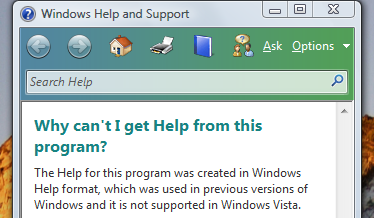 Windows (back to Windows 3.1) and for the way it handled context help pop-ups, but now we finally have to migrate to .CHM. We evaluated several help editors, and found none that perfectly imported WinHelp files, so we expect to do a good bit of fixing by hand. We settled on one HtmlHelp editor program, immediately got stuck on a software bug for a couple of weeks tech support could not reproduce, and finally got around the problem by moving the editor to a different computer.
 - Running install programs that are not signed alert the user with a dramatic warning message. Purchasing a code signing certificate is an added expense we would prefer to avoid, but might be reluctantly forced to endure if this becomes the accepted industry practice.
- The final beta for Vista appeared to have hardware DEP (Data Execution Prevention) enabled as default. This breaks our programs due to the programming framework library we are using. Fortunately, the released Vista does not have DEP enabled by default, but we have updated our programming library to fix the problem.
- The sound card mixer control has changed.
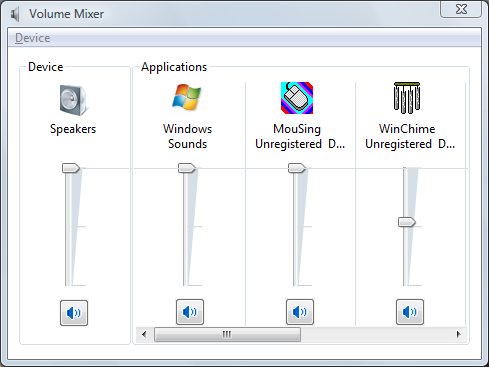 Several of our programs have menu items Options-> Preferences-> Mixer Play Control and Mixer Record Control, which calls an external Windows program. The name of the Windows program has changed and the appearance and control layout have changed significantly. Another common menu item, System Multimedia Properties, has also changed the way it is invoked.
 - We used a particular .EXE compressor program to save user disk space, which appears to be incompatible with Vista.
- The way we implemented Options-> Preferences-> General-> Launch program at system boot seems to be broken under Vista.
- Some of our File-Save dialogs don’t work. We’re looking into it…
- Vista has a whole new layer of pop-up warning dialogs termed User Account Control (UAC). When we start testing our programs with standard user privileges instead of admin privileges, we expect to encounter a lot more issues. Now, we fully expect a lot of home users will run as admin and won’t see a problem, but we need the software to run in a corporate environment with a megalomaniacal IT department (but not this IT) that won’t trust regular users with much power. We’ll save this for another post, when we are brave enough to test…